
Play Along and Compose
Play Along, Compose, the Chopin library, playback, and tuning all run in the current iPhone, iPad, and Mac builds.

You play. The page keeps up.
Play along with real sheet music on any piano. LiveNotate listens through the microphone, follows you note by note, and waits when you need it to. When an idea comes, play it and watch it become notation you can edit.
In development for iPhone, iPad, and Mac. In private testing, with no public download yet.
Captured from the current build on iPhone. The clips loop; tap one to pause it.
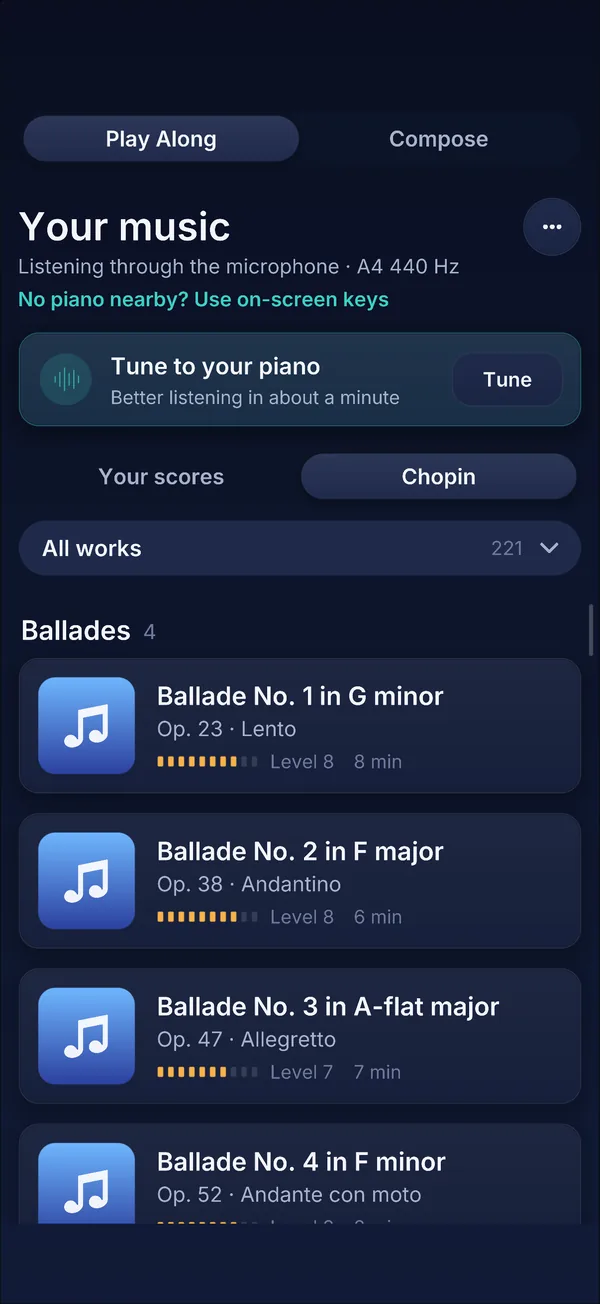
Start with any of 221 works and movements by Chopin, encoded from his first editions and sorted by level and length. Or open your own MusicXML.
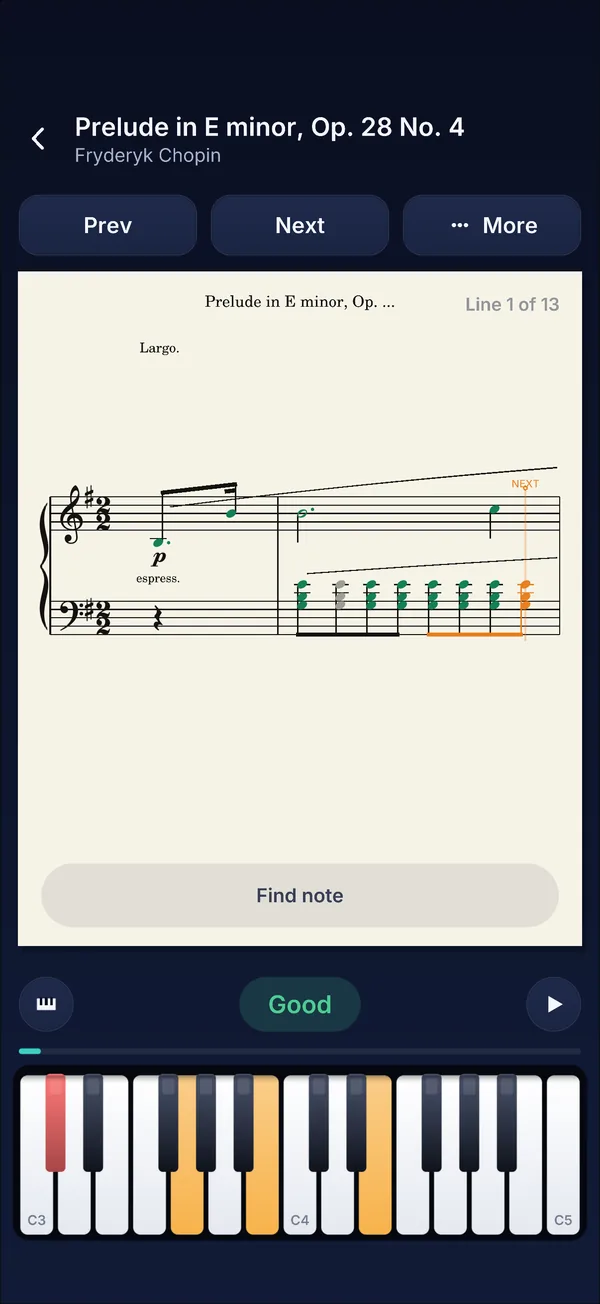
Play on your own piano. LiveNotate hears each note, waits for the right one, and colors what you've played. MIDI keyboards and the on-screen keys work too.
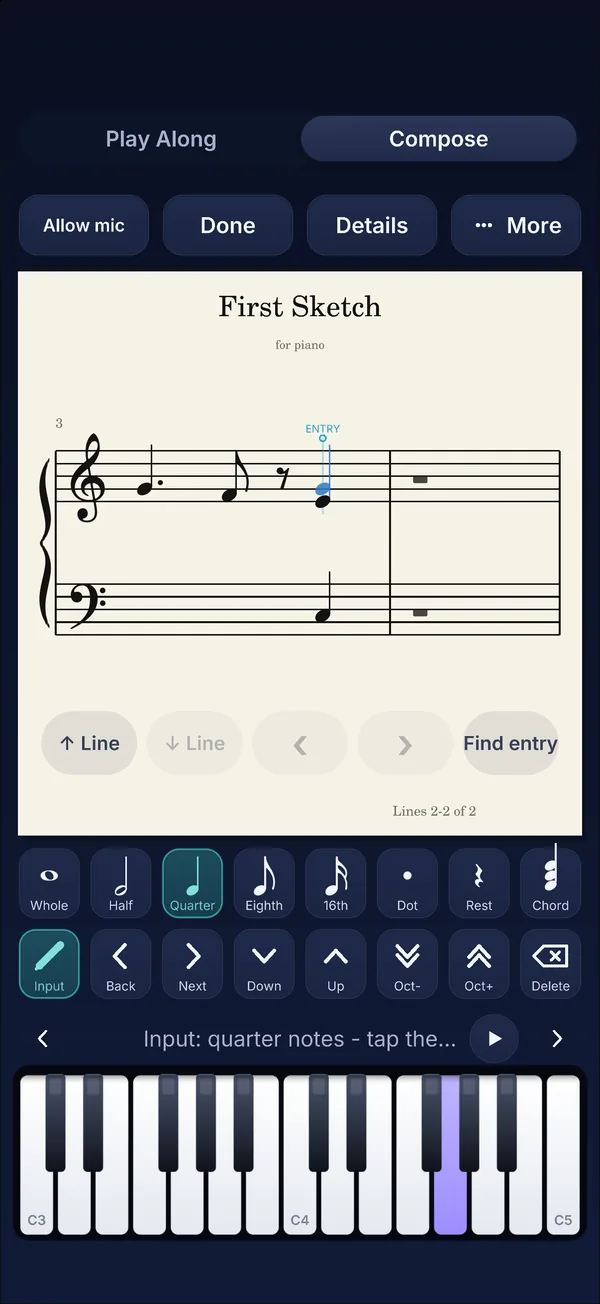
Record an idea at your own tempo and LiveNotate writes it down. Then fix any note by touch: values, pitches, chords, rests, and markings.
Any score plays back through a grand piano, with a playhead that keeps your place and turns the pages for you.
Tap the keys, or click one and keep going on your computer keyboard. The keys match LiveNotate on a Mac: A to K play the white keys up from middle C, W E T Y U the black keys between them, and Z to M the octave below. Every note lands on the staff the moment you play it. It's a pocket-sized version of the idea; LiveNotate does it with a real piano.
Screens from LiveNotate on iPad and iPhone. Select one to see it full size.
Everything below works in the current iPhone, iPad, and Mac builds.
LiveNotate is in active development. It isn't released yet, and it will keep changing on the way.
Play Along, Compose, the Chopin library, playback, and tuning all run in the current iPhone, iPad, and Mac builds.
LiveNotate is in private testing on iPhone and iPad. There's no public download yet.
Printing and PDF export, sharing, and plenty of time with real pianos in real rooms.
Chopin scores in the screenshots are encoded from the first editions by the Fryderyk Chopin Institute (NIFC), licensed CC BY 4.0. Music symbols on this page use the Bravura font under the SIL Open Font License.
Get LiveNotate news by email: new builds worth showing, and the release when it comes. Usually one or two emails a month; never daily.
Confirm by email. Unsubscribe at any time.
LiveNotate runs on Fate, the same C++23 engine Bezhig built for FateMMO. Caleb Kious builds both, along with the rest of Bezhig's games and tools.
See all Bezhig projects ↗